
Programming technique · B2.1.1
Variables and input
Variables give names to values so that a program can store, change and reuse data. Their data type controls the kind of value represented, while scope controls where each name is available.
Choose an appropriate data type
| Java type | Stores | Example |
|---|---|---|
int | Whole numbers | 42 |
double | Decimal numbers | 3.75 |
String | Text | "Lina" |
char | One character | 'A' |
boolean | true or false | true |
| Python type | Stores | Example |
|---|---|---|
int | Whole numbers | 42 |
float | Decimal numbers | 3.75 |
str | Text | "Lina" |
str | One character when its length is 1 | "A" |
bool | True or False | True |
Read input with Scanner
Create one Scanner and reuse it. Use nextLine() for a complete line of text, nextInt() for an integer and nextDouble() for a decimal.
Read and convert input
input() always returns a string. Wrap it with int() for a whole number or float() for a decimal when the program needs numeric data.
nextInt() or nextDouble(), the newline may still be waiting. Call nextLine() once before reading the next full line of text.
input() returns text even when the user types digits. Convert before doing arithmetic, and be ready to handle text that cannot be converted.
Local and wider scope
Java has no free-standing global variables. In a simple Java program, a class-level field can provide wider scope, while a variable declared inside a method is local to that method or block. Prefer local variables unless the value genuinely needs wider availability.
A name assigned at the top level of a Python file has module-level scope. A name assigned inside a function is normally local to that function. Prefer local variables unless a value genuinely belongs at wider scope.
Check your understanding
Answer each question before opening the model answer.
-
Which value should normally have wider scope: a tax rate shared by several calculations, or a temporary tax amount for one item?
Reveal model answer
The shared tax rate may justify wider scope; the temporary tax amount belongs locally inside the calculation that uses it.
-
Can code in main directly read a local variable declared inside another method or function after that call finishes?
Reveal model answer
No. A local name is only available within its own scope; the function or method must return a value if the caller needs the result.
-
Why can wider-scope variables make programs harder to reason about?
Reveal model answer
More parts of the program can depend on or change the same state, making it harder to trace where a value came from or why it changed.
Trace variable values
When tracing, record each variable after every statement that changes it. Do not record what you expect the variable to become later.
| Statement | capacity | sold | remaining | status |
|---|---|---|---|---|
int capacity = 120; | 120 | — | — | — |
int sold = 37; | 120 | 37 | — | — |
int remaining = capacity - sold; | 120 | 37 | 83 | — |
String status = "Remaining: " + remaining; | 120 | 37 | 83 | Remaining: 83 |
| Statement | capacity | sold | remaining | status |
|---|---|---|---|---|
capacity = 120 | 120 | — | — | — |
sold = 37 | 120 | 37 | — | — |
remaining = capacity - sold | 120 | 37 | 83 | — |
status = f"Remaining: {remaining}" | 120 | 37 | 83 | Remaining: 83 |
Declare before use
A variable must have a type and name before the program can use it.
Assign before use
A Python variable is created when a value is assigned, but it still must exist before it is read.
Use meaningful names
remaining communicates more than x.
Integer division
5 / 9 is integer division and produces 0. Use 5.0 / 9.0 when a decimal answer is required.
Division operators
5 / 9 produces a decimal result. Use // only when floor division is intentionally required.
Challenges Choose one
Choose a challenge that feels appropriate for you. Code heat is only a rough estimate, not a fixed level.
Simple Adder
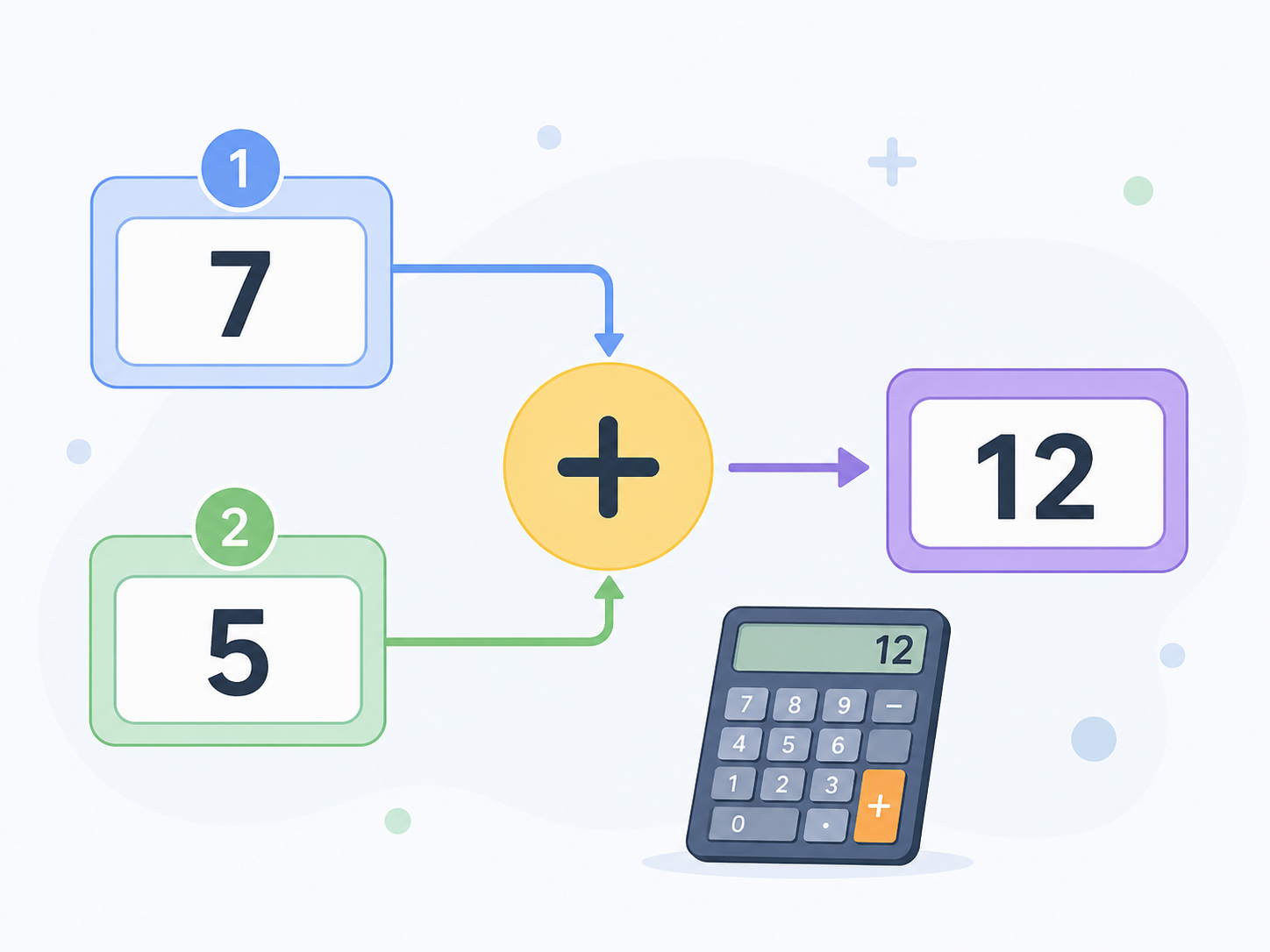
SelectedAsk the user for two whole numbers. Output both numbers and their total in a complete sentence.
Temperature Converter
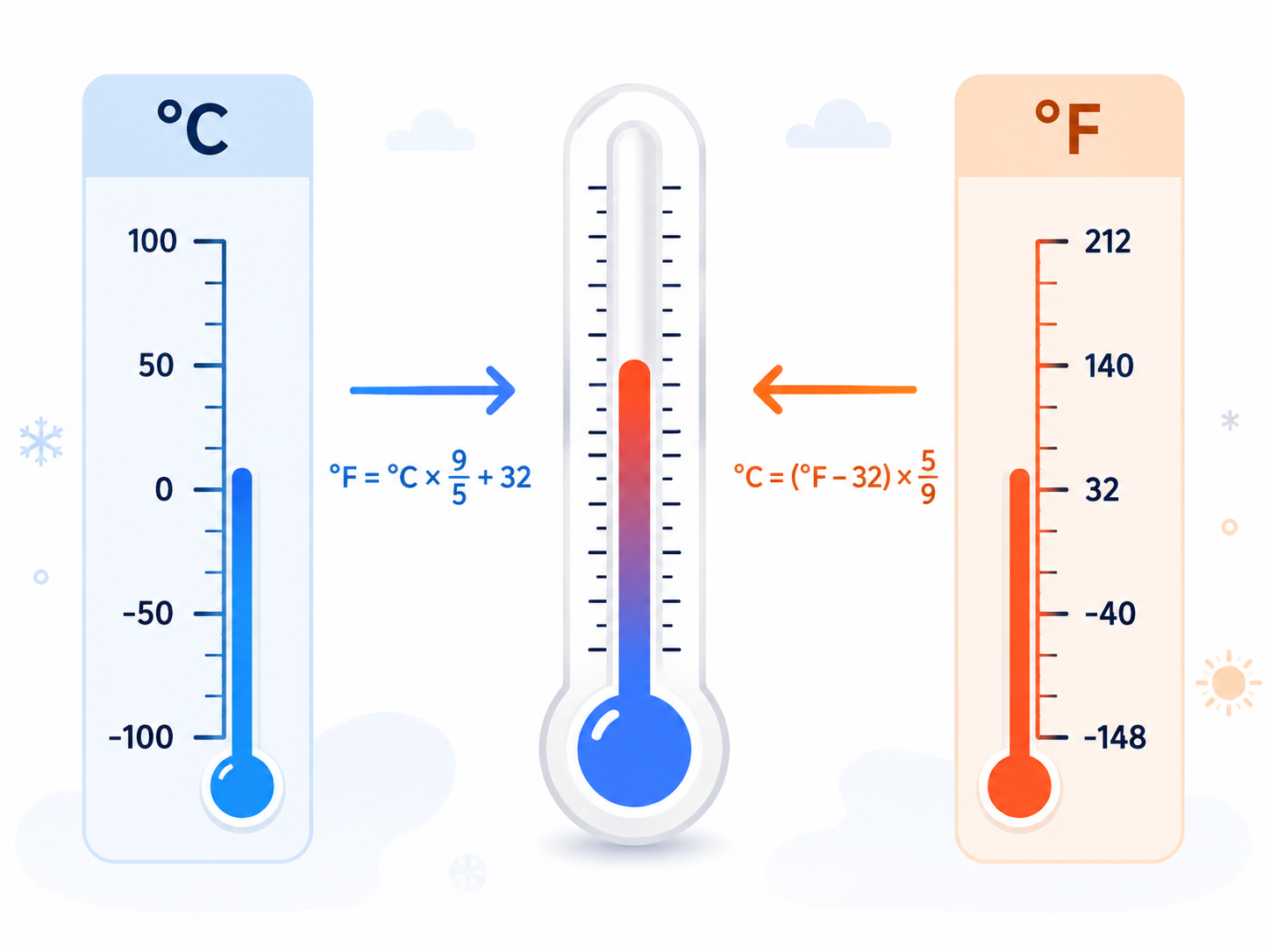
SelectedAsk the user for a temperature in degrees Fahrenheit and display the equivalent temperature in degrees Celsius. Use Celsius = (Fahrenheit - 32) * 5.0 / 9.0. Test a value below freezing, freezing point and a warm value.
Fish Tank Volume
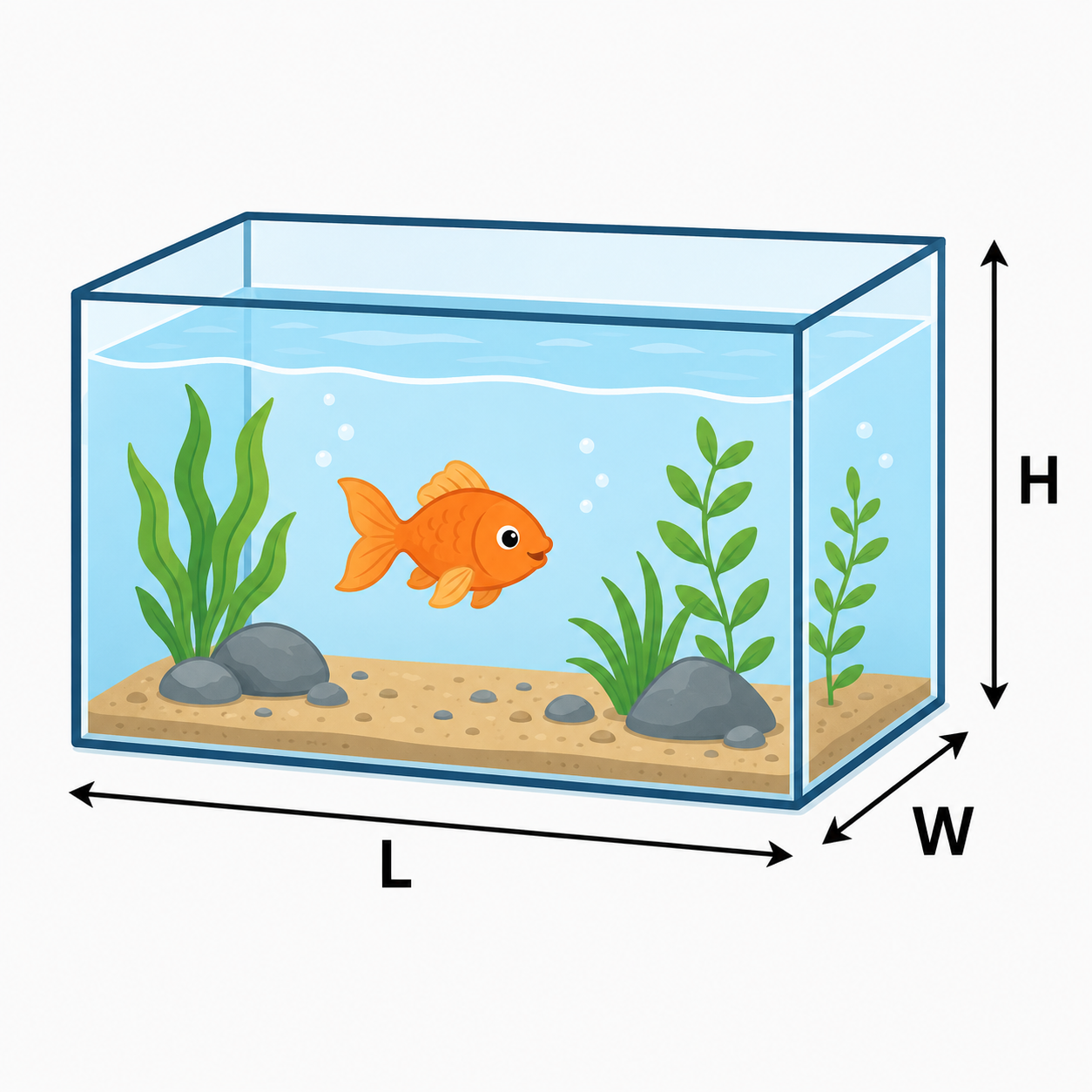
SelectedAsk the user for the length, depth and height of a fish tank in centimetres. Calculate the volume in litres by multiplying the three dimensions and dividing by 1000. Also display the approximate volume in UK gallons using 1 UK gallon = 4.54609 litres.
Circle Properties
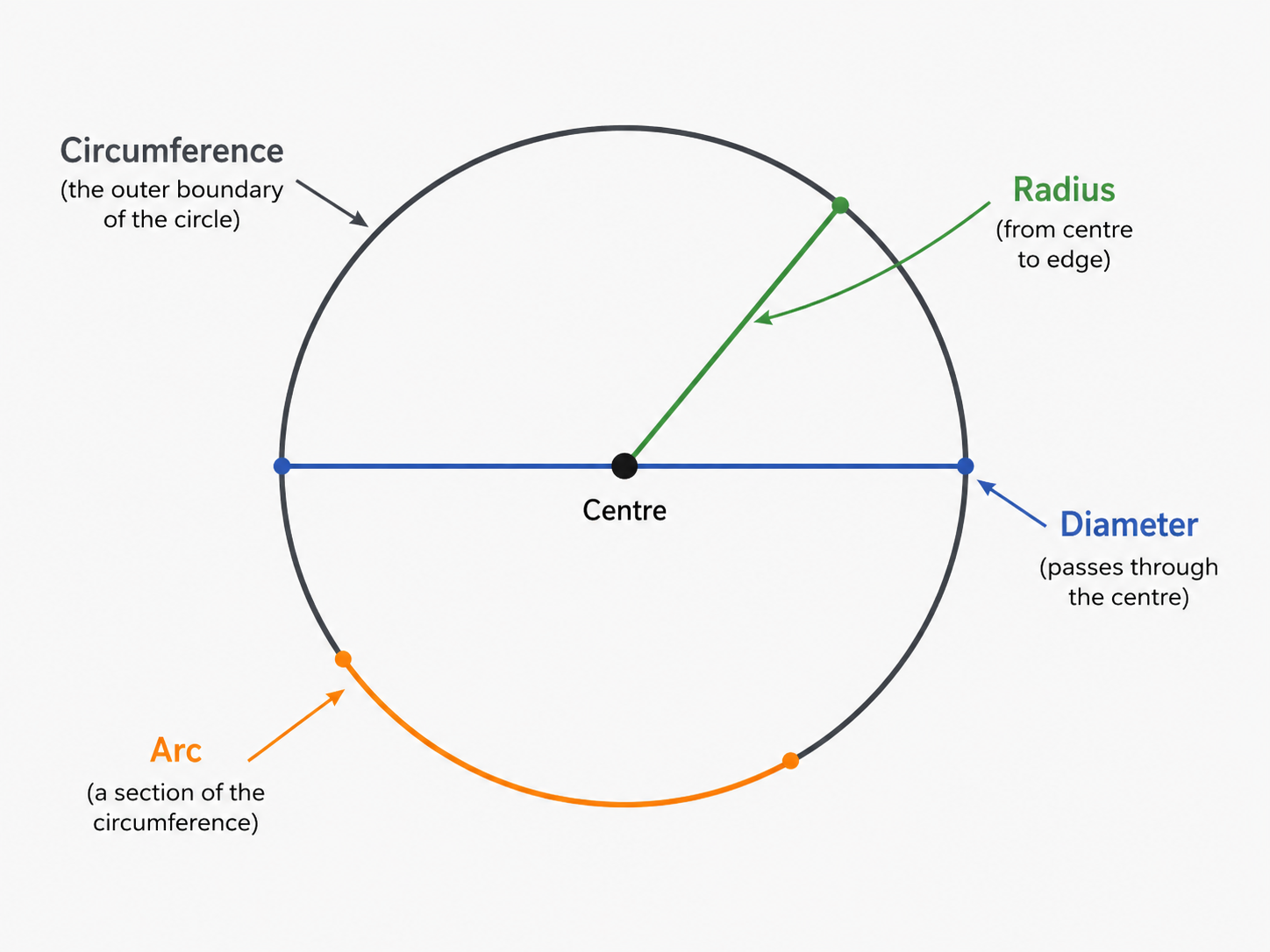
SelectedAsk the user for the diameter of a circle and an arc angle. Output the radius, area, circumference and arc length. Use Math.PI and show clearly which input and calculated value each line represents.
Scope Snapshot
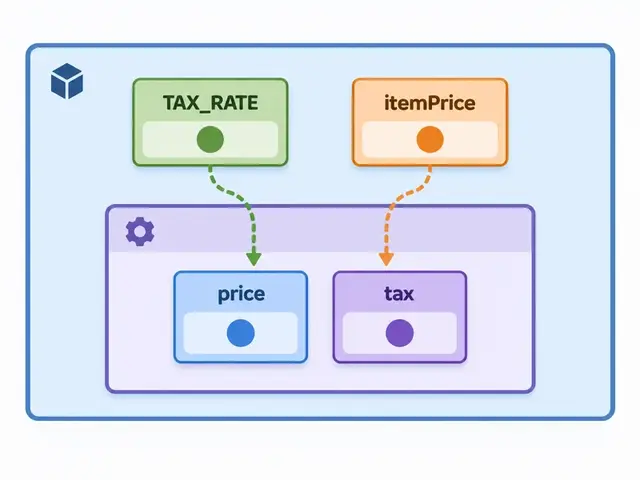
SelectedUse the supplied Scope example on this page rather than designing new methods. Before running it, make a scope table showing where TAX_RATE, price, tax and itemPrice are available. Change only the numeric input values, run the program, and explain why tax should remain local while TAX_RATE may reasonably have wider scope. Do not add new methods for this challenge; method construction is taught later.
Selected challenge
Write your first version by hand
Before opening your IDE, write your first attempt at this program on paper using Java. It does not need to be perfect.
TASK_CODE
Not marked complete. Mark it complete when your handwritten code is ready.
Open the challenge
Code Companion Local creates the starter file in the exact managed challenge folder and opens it in your preferred IDE. You do not need to create folders, files or run terminal commands.
Mark your handwritten code complete first.
If you are simply browsing the public course and are not using a class, complete the challenge in any editor you like. Code Companion Local is only needed for the connected classroom workflow.
Complete the challenge
Use your handwritten code as the starting point, then write and test your solution in the challenge workspace. Code Companion Local will ask you to compare the two versions before you submit.
Optional two-level scaffold
Try from your handwritten pseudocode first. Scaffold gives some structure; Scaffold + comments gives stronger guidance. Use only the level you need, and update your pseudocode first if the support changes your plan.